
CDPAP Resources for Personal Assistants
Browse videos, guides, and other materials on navigating consumer direction with PPL.
Important Payroll Reminders
- All time entries, including paper timesheets, must be submitted for approval by 11:59 p.m. ET on Saturday.
- Consumers/DRs must approve PA hours by 12 p.m. (noon) ET every Sunday. Timesheets will not be paid until the consumer or DR approves through approved systems. For help, call PPL at 1-833-247-5346.
- CDPAP personal assistants (PAs) are paid weekly, on Thursdays, via direct deposit or paper check, based on their chosen method.
- A copy of the PPL pay schedule for New York can be found here.
- If your payroll processing status says “Pending” in PPL@Home, see the Payroll & Payment section of this page for common errors and how to resolve them.
- Notice: Live-In/Per-Diem Service Code Policy
Consumers with service codes T1020, 2405, and 2406 are allowed a flat 13-hour payment for only one PA per day. Any additional timesheets — whether from the same or a different PA — will be denied with the message, “This is not allowed for Per-Diem service code.” - Attention PAs! If you requested direct deposit for the first time or updated your banking information with PPL, it may take 1-2 pay periods for electronic payments to begin. In the meantime, you may receive a paper check mailed to the address we have on file. As a standard practice, PPL verifies that your banking information is accurate and any updates were authorized by you prior to payroll.
Understanding PPL’s CDPAP Systems
PPL@Home
PPL@Home is the online system personal assistants (PAs) and consumers use to register with PPL, manage their information and authorizations, and view the status of timesheets.
PPL@Home Self-Registration for Personal Assistants

How to Complete the USCIS Form I-9 in PPL@Home

PPL@Home Transition Guide for Personal Assistants
Time4Care™
Time4Care is PPL’s highly rated mobile app for PAs and consumers to manage their time and pay. Time4Care can be downloaded from the Apple App Store or Google Play Store depending on your device. More information on Time4Care is available below.
PPL Registration & Login Information
Below are the steps to register with PPL as the statewide fiscal intermediary for CDPAP. If you need help, contact PPL at 1-833-247-5346, sign up for a virtual registration session or in-office appointment, or contact your CDPAP facilitator if you work with one.
PA Registration Steps
Step 1: Consumer Association
Before you can register with PPL as a personal assistant in CDPAP, your consumer must be signed up with PPL, have a valid service authorization, and contact PPL to link you to their account.
Step 2: Create a PPL@Home Account or Log in
To complete the registration process online, sign up for or create a PPL@Home account.
PPL@Home Email Signup PPL@Home Mobile Signup PPL@Home Email Sign in PPL@Home Mobile Sign inPPL@Home is where you will enter your information and complete the necessary forms and documentation, including:
- Offer Letter (one per associated consumer)
- Personal Assistant Agreement
- IRS Form W-4
- State Form NY IT-2104-I
- USCIS Form I-9 and supporting documentation
- Payment Method Form
- Health Assessment
- PPL partners with Mobile Health for medical screenings. Visit their PPL CDPAP webpage at mobilehealth.com/ny-cdpap-ppl-medical-screenings for more information.
Step 3: Download Time4Care
If you have registered with PPL and your consumer has a valid service authorization, you can log your time in our Time4Care™ app. Download Time4Care using the links below and log in with the same details you use for PPL@Home. You can also complete your Electronic Visit Verification (EVV) training in Time4Care or PPL@Home.
Download Time4Care on Apple App Store Download Time4Care on Google PlayIf you are unable to use Time4Care to log your time, you can call 1-833-278-3959 to enter your time using PPL’s telephony system. PA instructions for using telephony can be found here.
Keeping Personal Information Safe
The resources below are to help the CDPAP community stay safe from attempts to compromise personal information.
Preventing Communications Phishing Scam Attempts
Recognizing Fake Advertisement Phishing Scams

Payroll & Payment
PAs are paid weekly, on Thursdays, via direct deposit or paper check, based on their chosen method. For time submitted by the payroll deadline of Saturday at 11:59 p.m. ET, PAs will be paid on Thursday of the following week. A copy of the PPL pay schedule can be found here.
If you requested direct deposit, please be aware that your first paycheck may be a paper check. As a standard practice, PPL verifies that your banking information is accurate prior to payroll. If you submitted a direct deposit form at least 5 days before the payroll date and your banking information was confirmed to be correct, you will receive an electronic deposit. If you submitted your direct deposit form within less than 5 days of the payroll or we could not confirm the information with your bank, you will receive a paper check until your banking information is confirmed.
Guide: Understanding PPL PayrollWisely Pay by ADP™ Debit Card
PPL offers PAs the option to receive their paychecks on a debit card. PAs who choose this option will receive a Wisely Pay debit card in the mail. The Wisely Pay card can be used to make payments over the phone, online, or anywhere Debit Mastercard® or Visa® debit cards are accepted. PAs can also add the Wisely card to their mobile wallet and use contactless pay anywhere Apple Pay®, Samsung Pay®, or Google Pay is accepted.
More information about Wisely and how to get the most out of the Wisely Pay card is available in their frequently asked questions and on their website, mywisely.com. For questions about the Wisely Pay card, contact Wisely Member Services 24/7 at 1-866-313-6901.
Pended Payments
If you do not receive payment via direct deposit or a paper check on Thursday, the chart below lists some of the reasons why this may have happened. You can also see the status of in-process and processed payrolls by logging in to PPL@Home and navigating to the Timesheet tab.

Under Actions, click View to view your time entries and the status. If the Status is “Good to Pay,” and Processing Status is “Ready for payment,” your payment will be processed in the next payroll. If the processing status says, “Sent to Payroll,” that means payroll is in process with our payroll provider and you will be receiving payment on the next pay date.
If your processing status says “Pended,” that means something is preventing your payroll from processing and needs to be resolved. Click the hyperlinked text to find out why the payment is pending.
See the chart below for the different error codes associated with pended payments and how to resolve them.
Timekeeping
PPL offers multiple timekeeping options to accommodate the different needs of CDPAP consumers and personal assistants while maintaining electronic visit verification (EVV) compliance. A full guide to entering and approving time is available here in English and here in Spanish. A recording of a recent webinar on entering time with PPL is available here in Spanish.
Time4Care™
Time4Care is PPL’s EVV-compliant mobile app that personal assistants use to clock in and out of their shifts, view pay information, and manage their time. Consumers use Time4Care to approve time for their PAs.
Time4Care App Setup

Time4Care PA Dashboard Tour

Time4Care Online Clock In and Clock Out
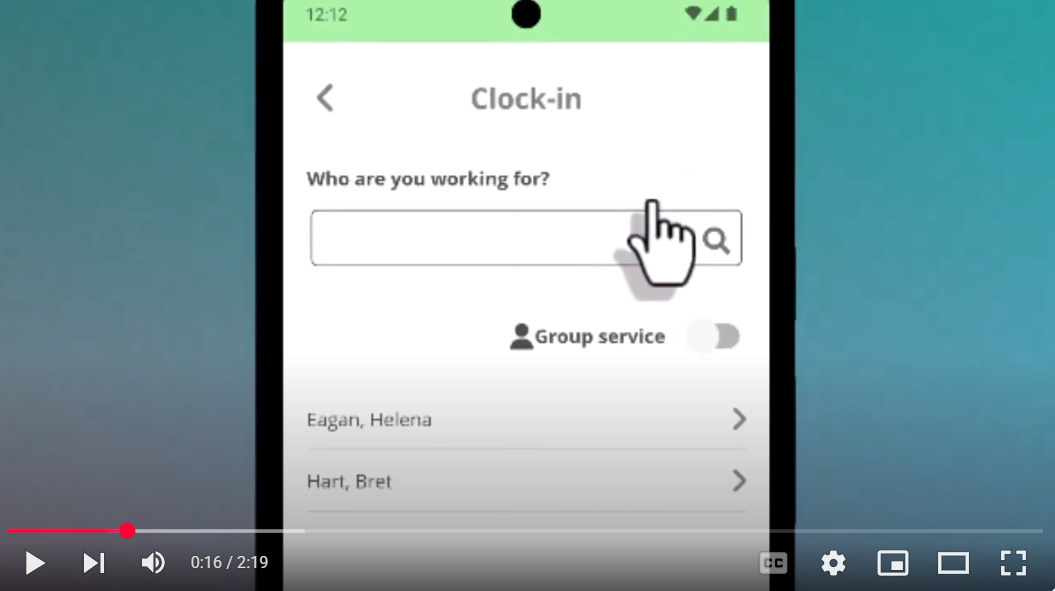
Time4Care Offline Clock In and Clock Out

Time4Care Adding Past Entries

Time4Care Editing Time Entries

Understanding Overnight Time Entries
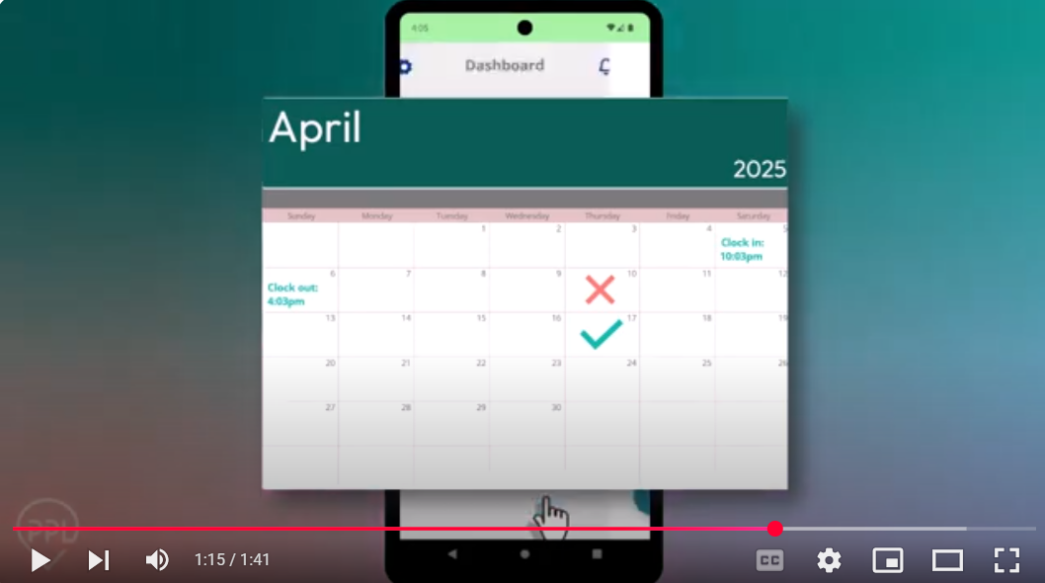
Time4Care – Service Authorization Limits
EVV and Time4Care Reference Guide for Personal Assistants
Time4Care Troubleshooting Tips
When to troubleshoot before calling Customer Service:
If you are attempting to use the Time4Care application and receive an error or issue, please check that you have the most recent version of the application on your device. You can update the application via your app store: Apple App Store or Google Play.
Troubleshooting Time4Care – Please follow these steps in order:
- Open the Time4Care app
- Tap the gear icon (Settings)
- Select Update User Data
- Log out and then log back in
If this does not solve the issue, please try the following:
- Remove the Time4Care app from the device
- Reinstall Time4Care from the Apple App Store or Google Play
- Clear the app cache (if you’re on Android)
- Open the gear icon (Settings)
- Tap Apps (or Apps & Notifications)
- Select Time4Care
- Tap Storage or Storage & Cache
- Tap Clear Cache
This removes temporary files without deleting your login information, settings, or personal data.
- After clearing cache restart your phone:
- Press and hold the Power button
- Select Restart
This helps ensure the device loads fresh data and can resolve many app-related issues.
- Uninstall the app
- Reinstall the Time4Care app
- Restart your device after reinstalling
- Check for app updates in the Apple App Store or Google Play
- Try accessing the app from a different device or browser (if using the web version).
When to contact Customer Service:
If you have tried the troubleshooting tips above and the issue persists, please contact Customer Service with the following information:
- Name of the individual who experienced the issue
- Date of the error
- Approximate date and time of the timesheet
- Type of device used with Time4Care (Android or Apple)
- Consumer PPL ID
- Personal Assistant (PA) PPL ID
- Description of the steps taken before the issue occurred
- Exact point where the issue occurred
Tip: If possible, taking screenshots of the issue can help Customer Service resolve the problem.
- Customer Service:
- 1-833-247-5346
- NYCDPAP@pplfirst.com
Telephony
Calling in to PPL’s telephony system is the other EVV-compliant way for PAs to clock in and out of shifts. Entries must be submitted via the phone number the consumer registered with in PPL@Home.
 Telephony Guide for PAs
 – Español
PA Telephony System Walkthrough – English
PA Telephony System Walkthrough – Español
PA Telephony System Walkthrough – Français
PA Telephony System Walkthrough – Simplified Chinese
Telephony Guide for PAs
Telephony Guide for PAs – Español
PA Telephony System Walkthrough – English
PA Telephony System Walkthrough – Español
PA Telephony System Walkthrough – Français
PA Telephony System Walkthrough – Simplified Chinese
PA Telephony Instructions
- Dial 1-833-278-3959.
- Select your preferred language.
- Select option one to indicate you are the caregiver.
- Enter your 8-digit date of birth.
- Enter the last 4digits of your Social Security Number (SSN).
- Select your consumer from the list.
- Follow the prompts to start a new shift or end your shift.
- If needed, follow the prompts to correct and resubmit entries.
Telephony Troubleshooting Tips
Telephony (EVV Phone System) Support Guide
If you experience an issue while using the EVV Telephony (phone) system, please follow the troubleshooting tips provided below.
When to troubleshoot before calling Customer Service:
Before reporting an issue, please confirm that you are:
- Calling the correct EVV Telephony number.
- 1-833-278-3959
- Selecting the appropriate menu option:
- Press 1 for Personal Assistant (PA)
- Press 2 for Consumer
- Entering your date of birth when prompted.
- EX: MM/DD/YYYY; 06/02/1987
- Entering only the number portion of your PPL ID.
- EX: PPLID: PRV-NY-12345678; you would type in 12345678 ONLY
Best Practices When Using the Telephony System
To help ensure your time is recorded correctly:
- Remain on the line until the entire call is completed.
- Wait for the final confirmation message before hanging up.
- Follow all prompts carefully.
- Verify that you have selected the correct Consumer and Personal Assistant record when prompted.
- Listen for confirmation that your clock-in, clock-out, or approval has been successfully recorded.
Ending the call before receiving confirmation may result in incomplete or unrecorded time entries.
When to contact Customer Service:
If troubleshooting tips are not helpful, please contact our Customer Service line with the following information handy:
Information Needed for Telephony Support
Please have the following information available:
- Name of the individual who experienced the issue
- Date of the call
- Approximate time of the call
- Phone number used to place the call
- Consumer PPL ID
- Personal Assistant (PA) PPL ID
- Description of the steps taken during the call
- Exact point where the issue occurred or the call failed
Tip: If possible, placing a new test call and documenting the exact prompts and responses can help us better identify the issue.
- Customer Service:
- 1-833-247-5346
- NYCDPAP@pplfirst.com
If Your Call Disconnects After Entering the Last Four Digits of Your SSN
- If the call ends unexpectedly after you enter the last four digits of your Social Security Number:
- Verify that you are entering the correct information
- Contact Customer Service and provide the details listed above
- Include any error messages or prompts you received before the call disconnected
Customer Service will review your account and investigate the issue.
Clock In/Clock Out Issues
- If you are unable to clock in or clock out and are prompted to edit a previous entry, there may be an open shift that was not properly completed.
- Please contact Customer Service for assistance if you are unable to use the Time4Care application to modify or remove the timesheet and resubmit the timesheet correctly.
- Customer Service:
- 1-833-247-5346
- NYCDPAP@pplfirst.com
- Customer Service:
Paper Timesheets
In certain cases, personal assistants and consumers may request an exception to use paper timesheets. Whenever possible, an EVV compliant timesheet submission is required. Exceptions to this can be requested through completing PPL’s exception form.
This option is available for those who meet the below criteria and their case manager verifies:
- The consumer/DR or PA does not use electronics every day of the week due to a sincerely held religious belief (consumer/DR or PA with one day of observation does not justify a PTE, they should use EVV compliant methods on all days they are able).
- The consumer does not have access to the internet and does not have a landline telephone in their residence.
- There is another exceptional circumstance that prevents a consumer/DR or PA from using an electronic method of timekeeping.
Paper timesheets can be requested by calling 1-833-247-5346 or submitting an exception form via fax, mail, or email.
- Mail: 17 Plaza Drive, Latham, NY 12110
- Fax: 1-844-244-4384
- Email: NYCDPAP_TS@pplfirst.com
Best Practices for Timekeeping
Save Your Time Entries
When clocking out of a shift, be sure to save your time before exiting the timekeeping system. If you are clocking in and out through the Time4Care app, tap “End Time,” then “Submit,” then “Ok” to save and submit your time. If using telephony, listen to the system when it asks if the current end date and time is accurate. If the date and time are correct, you must press 1 to save the entry.
Closely Track Your Time — Especially for Manual Entries
When using a manual timekeeping option such as telephony or paper timesheet, it is important that you carefully track each shift. Information that should be tracked each day includes:
- The date
- Clock in and clock out times
- Total hours worked
- Name of the consumer/personal assistant
- Type of service provided
Recording this information will help make sure you are using your authorized hours correctly and that you are paid the right amount. It will also reduce the need for corrections.
Stick with the Same Device for Clocking in & Out
PAs should consistently use the same device to clock in and out. The clock operates on the device itself, not the system, which explains any display or shift issues experienced when using multiple devices.
- New as of June 1, 2025: Consumers can approve or deny timesheets submitted through any method (it does not have to be the same method the PA used to submit). PAs should still use the same method for clocking in and out.
Need to Edit an Overnight Shift?
Time4Care automatically splits overnight shifts that go past midnight into two time entries. To edit an overnight shift in Time4Care, please delete both parts of the overnight shift and complete a new manual entry with the correct times for your shift. If your new manual entry crosses midnight, Time4Care will split your shift for you between days.
Avoid Overlapping Shifts
If multiple PAs are working for a consumer, only one can be on the clock at a time. When one PA finishes their shift and another PA takes over, the first PA must clock out before the next PA clocks in. This prevents overlapping time, which can lead to pended (delayed) timesheets.
With Group Service Codes (2 to 1), Clock In/Out for Both Consumers at Once
When a PA works with two consumers who have a group service code, the PA must clock in/out for both consumers during the same clock-in session. Once the group code is selected in PPL’s Time4Care app or telephony system, the PA will be automatically prompted to clock in for the second consumer immediately after clocking in for the first. The same process applies when clocking out. Please note the pay rate is not doubled in these instances.
Reasons a Payment May be Pended (Delayed)
Error Message
What It Means
What to Do
Consumer is deceased on Date of Service.
Our records show that your consumer was deceased on at least one of your service dates.
Please check your time entries and try again.
Consumer is missing CIN/Medicaid ID/Member ID.
Your time record is missing your consumer’s CIN, Medicaid ID, or Member ID.
Please check your time record and try again.
Consumer is not enrolled during Time Entry’s Date of Service.
Our records show that your consumer was not enrolled in CDPAP or not registered with PPL on at least one of your service dates.
Please ensure your consumer completes all necessary steps in PPL@Home to complete registration. Consumers must sign the Memorandum of Understanding (MOU) and have a valid service authorization to be fully registered with PPL.
No Rate found.
The Service Code you entered does not exist.
Please check your time entries and try again.
Provider has already submitted a time entry for this time, under a different Service Code.
You have already submitted a time entry for at least one of these time entries, under a different Service Code. Only one Service Code can be used for a time entry.
Please check your time entries and try again.
Provider is not PA for Consumer.
Our records show that you are not a registered PA for this consumer.
Please contact PPL Customer Service at 1-833-247-5346 to associate your account to your consumer.
Provider is not Paperwork Complete.
Our records show that you have not finished registering with PPL. You cannot be paid until your registration paperwork is complete.
Please log in to PPL@Home or call PPL customer service at 1-833-247-5346 to complete all outstanding forms and paperwork.
Provider must have SSN.
Your SSN is missing. PPL cannot pay you without a valid SSN on file.
Please log in to PPL@Home to provide your social security number.
There is no authorization for the Consumer’s Plan they are currently enrolled under.
We do not have a valid authorization on file for your consumer for this health plan. Please call PPL Customer Service for assistance.
PPL receives and processes service authorizations from consumers’ health plans (MCOs, MLTCs, PACE) and Local Department of Social Services offices daily. They are processed by PPL on the same day. Consumers can check if they have a service authorization with PPL and view the details by logging into PPL@Home and navigating to the “Authorizations” tab. If after checking PPL@Home you do not see a service authorization, please check back as service authorization updates occur regularly. Once resolved, we will be able to process any time submitted in the next payroll.
There is no authorization for Time Entry’s service code.
We do not have a valid authorization for your consumer for this Service Code.
Please revise the service code to align with the service(s) your consumer is authorized for.
Time Entry overlaps with a previously submitted time entry for the same Service Date.
You have already submitted a time entry that is the same as at least one of these time entries.
Please check your time entries and try again.
Time Entry overlaps with another Provider’s time entry for the same Service Date and Service Code. 2-1 Service isn’t allowed for this service.
Another PA has already submitted a time entry that is the same as at least one of these time entries. Please check your time entries and try again. If you need assistance, please call PPL Customer Service.
Please check your time entries and try again.
Time Entry overlaps with another Provider’s time entry for the same Service Date.
Another PA has already submitted a time entry that is the same as at least one of these time entries. Please check your time entries and try again. If you need assistance, please call PPL Customer Service.
Please check your time entries and try again.
Time Entry overlaps with another time entry for different Consumer. Group Service is not allowed for this Service Code.
You have already submitted a time entry that is the same as at least one of these time entries, for another consumer. Group Service is not allowed for this Service Code.
Please check your time entries and try again.
Time Entry’s Date of Service is during a gap in Consumer’s enrollment or eligibility.
Our records show that your consumer was not enrolled in CDPAP on at least one of your Service Dates.
Please check your time entries and try again.
Time Entry’s Date of Service is not within Authorization From/To Date.
We do not have a valid authorization on file for your consumer for these Service Dates.
Please call PPL Customer Service at 1-833-247-5346 for assistance.
Time Entry’s Service Code is a Group service (1-Provider 2-Consumer). It must list two Consumers.
Under this Service Code, you must list at least two consumers.
Please call PPL Customer Service at 1-833-247-5346 for assistance.
Time Entry’s Units exceed remaining on Authorization.
At least one of your time entries exceeds the number of units left on your consumer’s authorization.
Please call PPL Customer Service at 1-833-247-5346 for assistance.
Units cannot be zero.
You must submit at least one time entry; you cannot submit a blank timesheet.
Please check your time entries and try again.
Benefits & Human Resources
CDPAP personal assistants have several health benefit options through PPL. For questions about the PPL Flex Card, please contact Omni Advantage at 1-518-908-4775.
Benefits Resources
- GSA National Benefits Support Center: 1-888-250-8303
- PPL HR Hotline: 1-833-746-8283
Benefit FAQs
Question: What are the health benefit options for CDPAP personal assistants?
CDPAP personal assistants have several health benefit options through PPL.
Full-time PAs (those working more than 130 hours per month) have the choice of enrolling in PPL’s SecureHealth or SecureHealth Plus Plan, which provides comprehensive coverage.
Full-time PAs in the downstate regions — Nassau, Suffolk, New York, Kings, Queens, Richmond, Bronx, and Westchester counties — who do not enroll in PPL’s SecureHealth plans are automatically enrolled in the PPL CareSecure Retirement Plan, a 401(a) plan that is fully vested based on regular hours worked.
Part-time PAs (those working less than 130 hours per month) in the downstate regions are also automatically enrolled in the PPL CareSecure Retirement Plan. Part-time PAs can explore health insurance options through NY State of Health by calling 1-855-355-5777 or visiting https://nystateofhealth.ny.gov.
In addition to medical coverage, PPL offers a set of voluntary benefits through Chubb that employees may choose to enroll in if they want added financial protection. These include:
- Accident Insurance
- Critical Illness Insurance
- Voluntary Life Insurance
A NYC Transit Plan is also available to wage parity employees only.
More information on PA benefit options and links to enroll can be found at pplfirst.com/cdpap-benefits-2026.
For questions about PPL’s benefit options, you can contact our HR helpline at 1-833-746-8283 or the helpline for our benefits administrator GSA National at 1-888-250-8303. For questions about FLEX spending, contact Leading Edge at 1-518-908-4775.
Question: Can you share more details about PA benefits, including health insurance, time off, observed holidays, holiday pay rates, and any 401(k) plan options, as well as overtime policies?
PPL offers a comprehensive benefits package for PAs including safe and sick leave (SSL), holiday pay, participation in a health benefits plan and 401(k) plan, paid professional development training, paid family leave, and more.
PAs will accumulate one hour of SSL for every 30 hours worked for a maximum of 56 hours per calendar year. More information on SSL can be found at the links below:
Full-time PAs (those who work more than 130 hours per month) will receive time-and-a-half pay for the first 8 hours that they work on New Years Day, Martin Luther King Day, Memorial Day, Independence Day, Labor Day, Thanksgiving Day, and Christmas Day. (If a PA works more than 8 hours on the holiday, those additional hours will be paid at their regular rate.)
- NOTE: A PA will not receive both holiday premium pay and overtime premium pay in the same week. If a PA works overtime in a week with an eligible holiday, the time-and-a-half pay that they earn on the holiday will be reduced, on a 1-1 basis, by the number of overtime hours worked. Learn more about how overtime pay and holiday pay work together and see examples here.
Overtime is permitted when necessary to support continuity of care. However, PAs must comply with any guidance, limitations, or directives set by the consumer’s health plan or Local Department of Social Services (LDSS), and hours should align with New York State Department of Health (DOH) guidance on excessive hours. This includes the recommendation that at least one PA be regularly available for every 40 authorized hours of service. Failure to follow these limitations may result in service disruptions or other administrative actions.
Empower is the administrator of PPL’s CareSecure 401(a) and 401(k) retirement plans.
The health benefits plan is provided by Anthem. More details are provided during the PA onboarding process.
Question: What healthcare coverage will I receive when I join PPL?
Answer: If you work more than 130 hours a month, you will have the option to enroll in PPL’s SecureHealth or SecureHealth Plus Plan.
Question: How do I get health insurance coverage if I work less than 130 hours a month?
Answer: Call NY State of Health at 1-855-355-5777 or visit NY State of Health to find out your options.
PPL Minimal Essential Coverage (MEC) + Flex Benefit Plan
Question: What is the PPL MEC Plan?
Answer: The MEC Plan, also known as the BasicWellness Plan, is a wellness plan that covers basic preventive care such as vaccinations and screenings and offers financial relief for critical Illness diagnosis and off-the-job accidents. This plan is not intended to replace other insurance coverage you may have, but it can work in addition to it by helping with certain costs that your primary insurance may not fully cover. MEC ends on April 30, 2026. If you have MEC, that coverage ends on this date.
Question: What is the PPL Flex Card Plan?
Answer: It’s a plan where PPL puts money on a Flex Visa Card, for every hour you work, to use for medical expenses or to pay for other eligible expenses like transit and dependent care. For questions about the Flex Card, please contact Omni Advantage at 1-518-908-4775. The Flex Card plan ends on April 30, 2026. FLEX dollars remain available until they are spent. The FLEX card has a $1/month administration fee until the balance reaches $0.
Question: Can I use the PPL Flex Card to pay for health insurance premiums with other insurances?
Answer: No, the PPL Flex Card cannot be used to pay for health insurance premiums. It can only be used for certain eligible medical expenses, including deductibles, copayments, prescription drugs and coinsurance, as well as transit and dependent care.
Question: Can I use the PPL Flex Card to pay for medical expenses?
Answer: Yes, you can use it for things like deductibles, copayments, and coinsurance, but not for health insurance premiums.
Question: How does Coordination of Benefits work with the PPL BasicWellness Plan?
PPL SecureHealth Plans
Answer: The BasicWellness Plan is another name for the MEC Plan. Both the plan and its coverage ended on April 30, 2026.
Coordination of Benefits rules are set by each health insurance company. It is our understanding that if you have other health insurance coverage, your providers will need to bill the BasicWellness plan first only for the preventive services described above, and will not need to bill the BasicWellness plan first for services not covered by that plan. However, to be sure, you should contact your other insurance company and ask about their policies. In addition, if you aren’t sure about whether a service is covered under the BasicWellness Plan, you can provide both your BasicWellness Plan card information and your other insurance card information to your provider.
Question: Why is PPL offering this health insurance?
Answer: As a large employer, PPL must offer health insurance to full-time employees who work more than 130 hours a month.
Question: When do I become eligible for the PPL SecureHealth Plan?
Answer: You will become eligible for the PPL SecureHealth Plan after you work 130 hours in a month. Coverage will begin the month after you first worked 130 hours. Once you are eligible to enroll, you will receive a SecureHealth Plan welcome package in the mail. After enrolling, your benefits will go into effect on the first day of the following month.
Question: How does the PPL SecureHealth Plan affect my other health insurance?
Answer: If you are eligible to enroll in the PPL SecureHealth Plan, you might not be eligible for other health insurance like New York’s Essential Plan. It depends on if the cost of the SecureHealth Plan is more or less than 9% of your household income. Call NY State of Health at 1-855-355-5777 or visit NY State of Health to check your options.
Question: How will the PPL SecureHealth Plan affect my Medicaid coverage?
Answer: If you qualify for Medicaid, New York State will determine whether Medicaid or PPL’s SecureHealth Plan is the more cost-effective choice. If it is PPL’s Secure HealthPlan, Medicaid will pay for you to have the SecureHealth Plan. If Medicaid is the more cost-effective option, you will stay on your Medicaid plan.
Question: How do I get health insurance while waiting to be eligible for the SecureHealth Plan?
Answer: Waiting for the SecureHealth Plan doesn’t affect your eligibility for other health insurance. Call NY State of Health at 1-855-355-5777 or visit NY State of Health to find out your options. You can also ask your previous employer about the option to continue your previous coverage with COBRA.
Wisely Pay by ADP™ Debit Card
Question: What is the Wisely Pay card?
Answer: The Wisely Pay card is a debit card paychecks are deposited onto. PAs can choose this option using the Payment Method form in PPL@Home or here on our website. The card can be used to make payments over the phone, online, or in any store where Debit Mastercard® or Visa® debit cards are accepted. More information about Wisely and how to get the most out of the Wisely Pay card is available in their frequently asked questions and on their website, mywisely.com. For questions about the Wisely Pay card, contact Wisely Member Services 24/7 at 1-866-313-6901.
Question: How can I switch to the Wisely Pay card for my paychecks, or how can I change to a different payment method if I no longer want the Wisely Pay card?
Answer: PAs can request a change in payment method by filling out the Payment Method form linked here and returning it through one of the following methods:
- By email: nycdpap@pplfirst.com
- By fax: 1-833-951-0828
- By mail: 17 Plaza Drive, Latham, NY 12110
PAs can also update their payment method in PPL@Home or by calling PPL at 1-833-247-5346.
Question: How long will it take for me to receive my debit card after I make the request?
Answer: PAs should receive the debit card within 7-10 business days of selecting it as their payment method. If it has been longer than 7-10 business days, contact PPL at 1-833-247-5346 or Wisely Member Services at 1-866-313-6901.
Question: How long before my paychecks will start being deposited onto the Wisely Pay Card?
Answer: Once a PA’s Wisely Pay card is activated, their pay will be automatically deposited onto the card on payday.
Question: How do I activate my card?
Answer: PAs can activate their Wisely Pay card by logging into the myWisely® app or going to mywisely.com, clicking or tapping “Activate Card,” and following the instructions. Cards can also be activated by calling Wisely Member Services at 1-866-313-6901.
Question: I signed up to receive the debit card but haven’t received it.
Answer: PAs who signed up for the debit card during the initial transition to PPL as the statewide fiscal intermediary (around January-June 2025) should receive their card by mail toward the end of June. PAs who register with PPL going forward or who decide to switch to the debit card should receive it within 7-10 business days of selecting the debit card as their payment method. If it has been longer than 7-10 business days, contact PPL at 1-833-247-5346 or Wisely Member Services at 1-866-313-6901.
Question: My Wisely Pay card is lost, was stolen, or has unauthorized transactions.
Answer: Contact Wisely Member Services immediately at 1-866-313-6901 to report the issue and request a replacement card. PAs can also lock the card instantly in the myWisely mobile app, available on the Apple App Store or Google Play Store, so that it cannot be used.
Even if your card is lost or stolen, you may still be able to recover some or all of the funds on the card. It is important you report loss or theft immediately to protect your balance. ADP Wisely can assist with addressing any unused funds on a lost or stolen card.
Program Documents for PAs
Payroll Documents
NY CDPAP Paper Timesheet – Exception Required
NY CDPAP Paper Timesheet Exception Form
Procedures & Information
Personal Assistant Agreement – Bengali
Personal Assistant Agreement – Haitian Creole
Personal Assistant Agreement – Italian
Personal Assistant Agreement – Korean
Personal Assistant Agreement – Polish
Personal Assistant Agreement – Russian
Personal Assistant Agreement – Simplified Chinese
Personal Assistant Agreement – Spanish
Personal Assistant Agreement – Traditional Chinese
Personal Assistant Change of Information Form
Safe and Sick Leave (SSL) Policy – Downstate
Safe and Sick Leave (SSL) Policy – Upstate
Unpaid Safe and Sick Leave (SSL) Policy – Downstate
Time4Care™
Time4Care Guide – Simplified Chinese
Time4Care Guide – Traditional Chinese